A full day isn't the same as meaningful progress.
When everything needs your attention, decide what actually deserves it. A practical daily and weekly planning system for knowledge workers.
Busy is easy. Choosing is harder.
The problem isn't always a lack of discipline. Sometimes it's a plan that gives every demand the same weight.
Everything feels important
Your list grows faster than the time you have to work through it.
The plan ignores reality
Meetings, routine work and interruptions leave less room than you thought.
One interruption changes the day
When the perfect plan breaks, it's hard to know where to restart.
A planner should help you choose, not just collect more things to do.
Choose. Make room. Move.
One connected system, from a clear week to a realistic day.
Make a weekly bet
Choose an outcome worth moving forward and decide what can wait.
Make room for it
Estimate working hours after fixed commitments, routine work and a buffer.
Choose one move
Connect a meaningful task to your daily plan and choose its first visible step.
Begin again
When the day changes, choose a smaller next step instead of abandoning the plan.
A place for the work—and the decisions behind it.
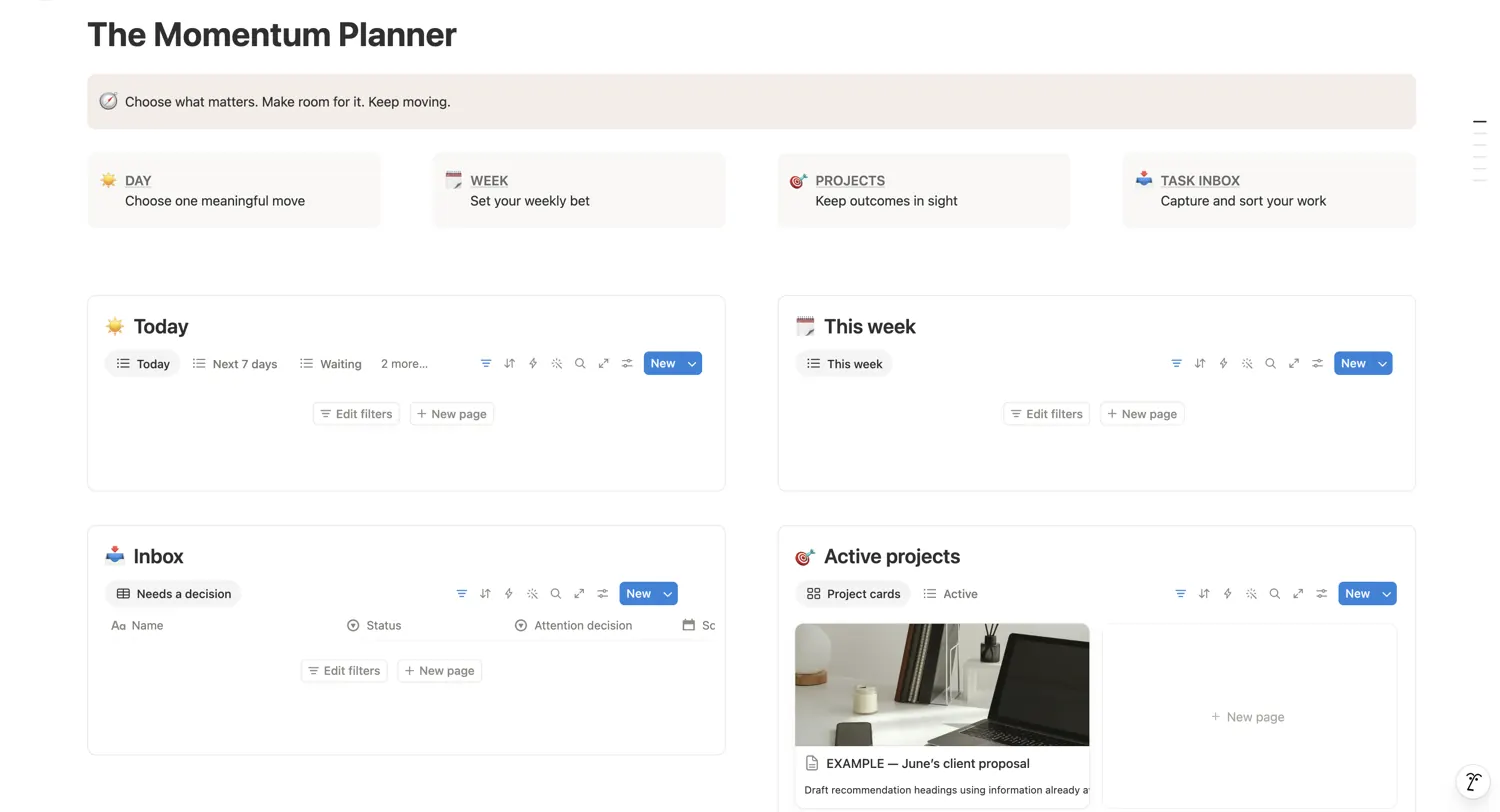
Your dashboard connects the pieces without asking you to build a new productivity system from scratch.
Daily and weekly plans
Start from reusable templates with prompts for focus, capacity and reflection.
Inbox and attention decisions
Capture work, then decide what to do, defer, delegate or release.
Projects and schedules
Connect tasks to outcomes and see scheduled work in weekly and monthly calendar views.
A reset for real life
When plans change, identify the next useful move and reschedule deliberately.
When the day doesn't go to plan
June has 90 minutes to outline a client proposal. Then an unexpected issue takes an hour.
Instead of writing the afternoon off, she uses the remaining 30 minutes to outline the three decisions the proposal must support. The work moves forward—and tomorrow has a clear starting point.
The planner includes June's fictional example, so you can see the system in use before making it your own.
Is the Momentum Planner for you?
Not for you if…
- You want a complete finance, meal-planning and life-management system.
- You need automatic task rollover or two-way external calendar syncing.
- You don't want to use Notion.
Made for you if…
- You juggle projects, meetings and incoming requests.
- You want to make priorities fit your real capacity.
- You value a clear next step more than a perfect task list.
Give your attention a direction.
A one-time purchase. One connected Notion workspace to make your own.
Momentum Planner
- Daily and weekly planning templates
- Capacity calculation and weekly reset
- Task inbox, project views and calendar
- Quick guide and a fictional worked example
Notion account required · Digital template · See site terms for purchase details
Good questions.
What do I receive?
A link to duplicate the Momentum Planner into your own Notion workspace, plus a short guide and fictional example inside the template.
Do I need Notion?
Yes. You need a Notion account to duplicate and use the template. The planner is designed for Notion on desktop and mobile; the layout may look different on smaller screens.
Does it sync with Google Calendar or move unfinished tasks automatically?
No. The planner has Notion calendar views, but two-way external calendar sync and automatic task rollover are not included.
How is this different from the newsletter?
The newsletter shares the ideas. This template turns them into a repeatable way to choose a weekly outcome, plan your day and reset when work changes.
Make room for the work that matters.
Not another system to maintain. A clearer way to decide what deserves your attention.